NewCustomer portal with AI chat: your customers ask, the report answers. See it
Back to overview
How it works

You appraise.
The platform writes it up.

Six steps from the order to the delivered appraisal. You work on the vehicle as usual, with your own measuring devices and notes in plain language. The platform turns that into the draft; you review and approve.

The process in detail

Six steps, one continuous thread.

app.diavag.com
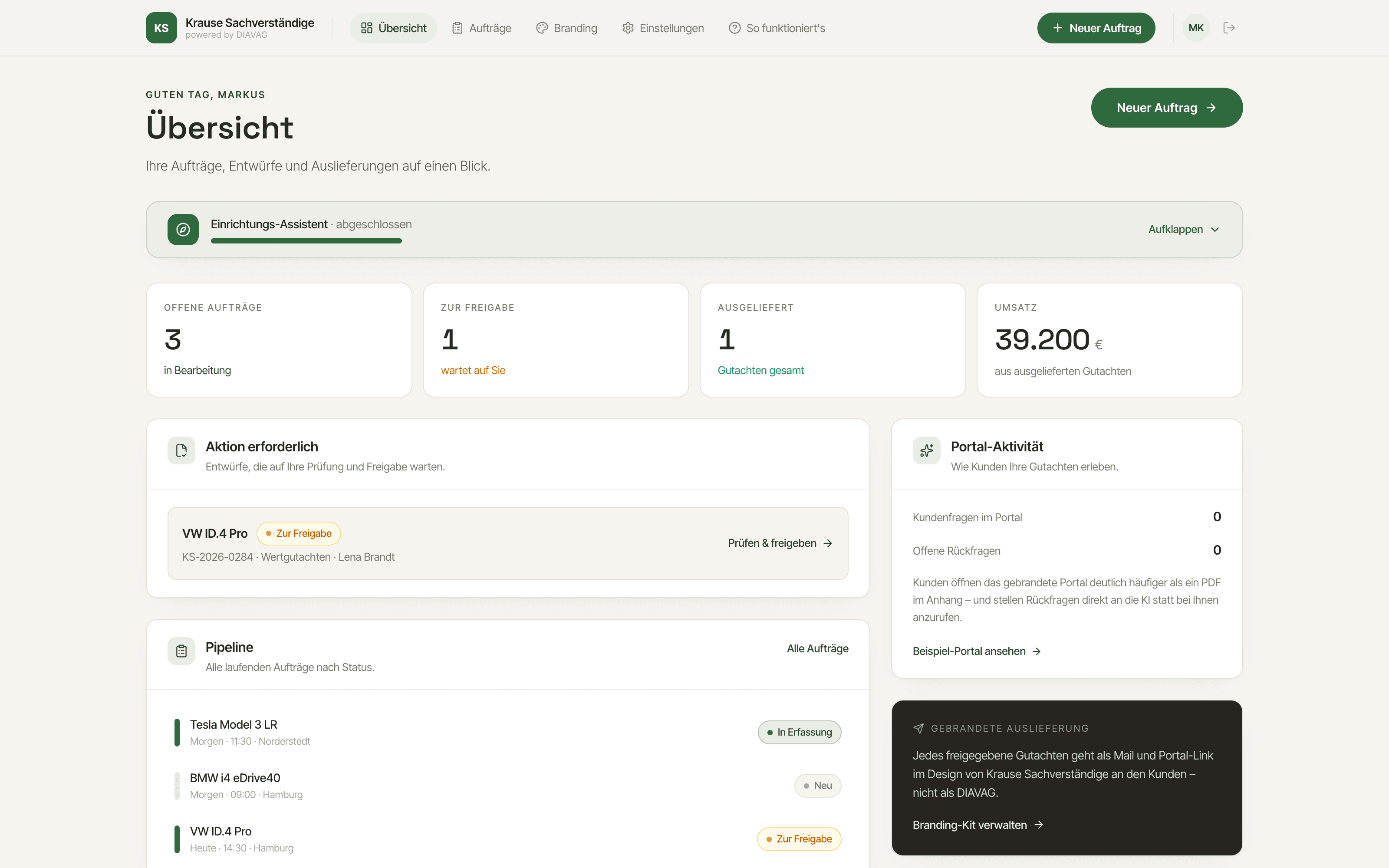
Overview of the DIAVAG platform with open orders, the status of appraisals in progress and the pipeline
01

Create the order

Every appraisal begins with an order. You create it with just a few details, at your desk or on your phone while out and about.

What you do

You enter the client and the vehicle, as much or as little as you currently know. Everything can be added later.

What the platform does

The platform creates a clear case file where everything about this case now comes together: data, photos, notes and later the finished appraisal.
02

Capture on site

At the vehicle you work just as before, with your own measuring devices and your trained eye. The only thing that changes is where the results go.

What you do

You measure with the devices you already have, take photos with your smartphone and type notes or bullet points in plain language, nothing more. No technical forms, no obligation to phrase things perfectly.

What the platform does

The platform assigns every measurement, every photo and every note to the right part of the order. Nothing gets lost, nothing has to be searched for later.

On-site capture
Enter measurement
Tread depth front left6.5 mm
Note, in your own words

scratch on rear right bumper, roughly palm-sized

Saved, assigned to the order
app.diavag.com
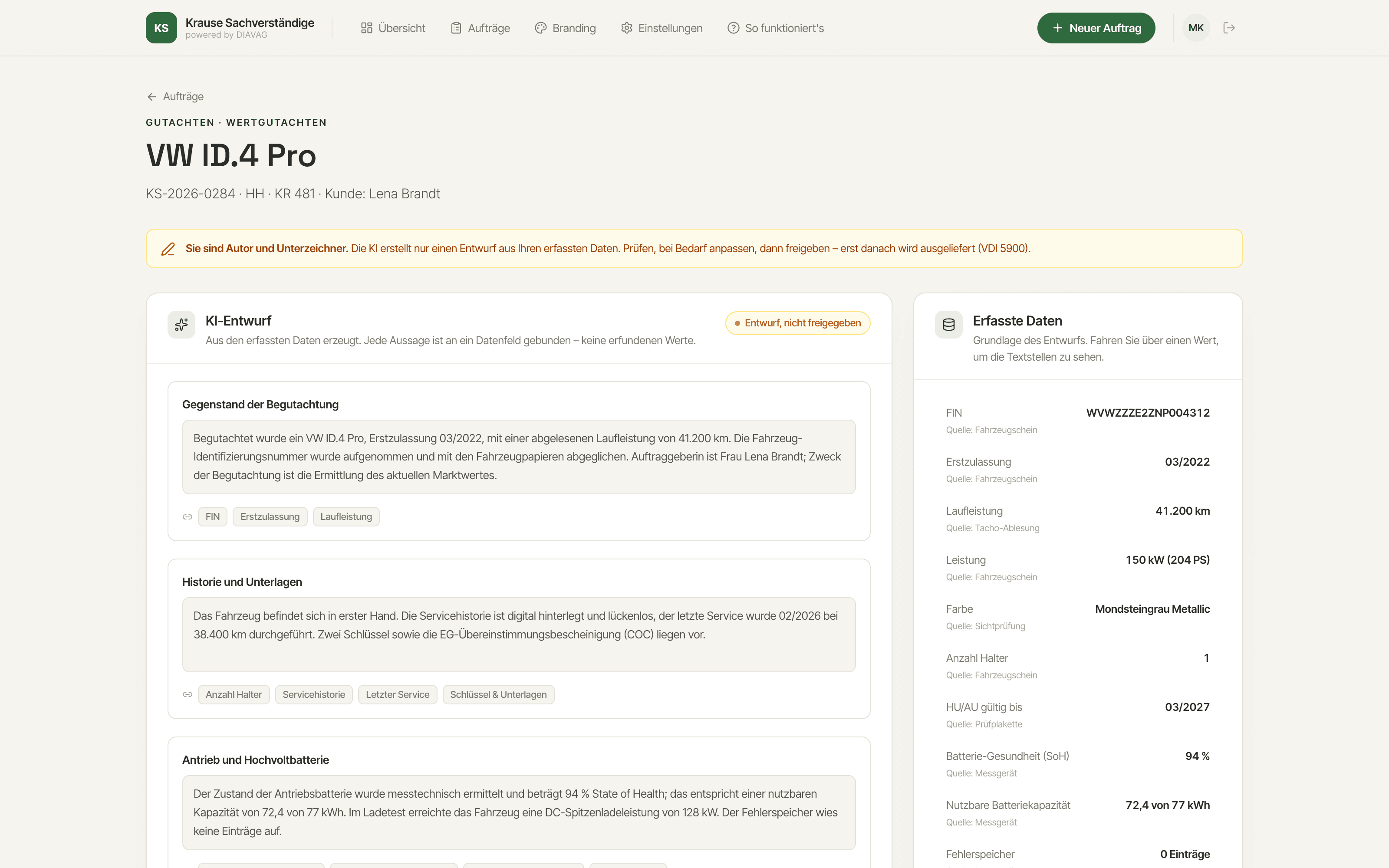
Review view of the DIAVAG platform: the AI draft alongside the captured data such as VIN, first registration and battery health
03

Read the draft

Your bullet points and values become the first complete appraisal draft, written in professional appraiser's language.

What you do

You open the draft and read it like a finished appraisal. For every sentence you can see which of your values or notes it comes from.

What the platform does

The AI writes exclusively from what you have captured. Every statement is tied to a data field; empty fields stay empty. No values are invented.

04

Review and approve

The appraisal remains your appraisal. Nothing is sent before you have reviewed and signed it.

What you do

You change anything you are not happy with directly in the text. Once everything is right, you approve it with your signature.

What the platform does

The platform logs every change and the approval without a gap. This means you can prove at any time that the appraisal was reviewed and vouched for by you.

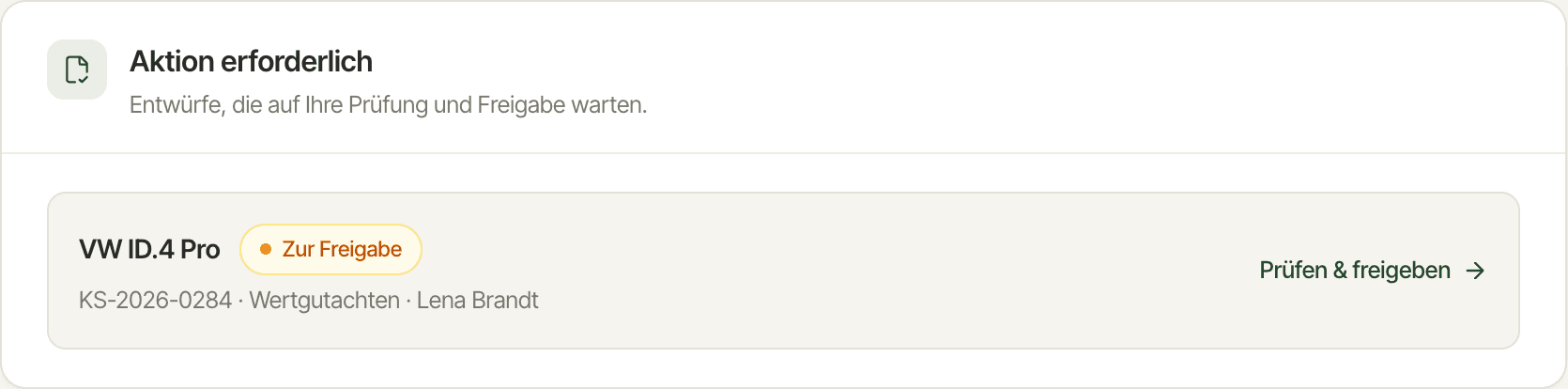
Detail from the DIAVAG platform dashboard: an 'Action required' card with a valuation appraisal awaiting review and approval
Signature
M. Sample
Logged
Delivery in your own branding
MB
Sample Appraiser's Office
gutachten@ihr-buero.de
PDFAppraisal_2026-0412.pdf
Sent from your own domain
05

Deliver in your own name

Your client receives the appraisal from you, not from a piece of software. The presentation and the sender stay yours.

What you do

You click Deliver. That is it; the platform takes care of the rest.

What the platform does

Your client receives an email with the appraisal as a PDF, designed in your branding and sent from your own domain, for example appraisals@your-office.com.

06

Follow-up questions to the portal

After delivery, the phone calls would normally start. With DIAVAG the client portal answers most questions of understanding for you.

What you do

You do not have to do anything. Only when a question truly needs you does it reach you.

What the platform does

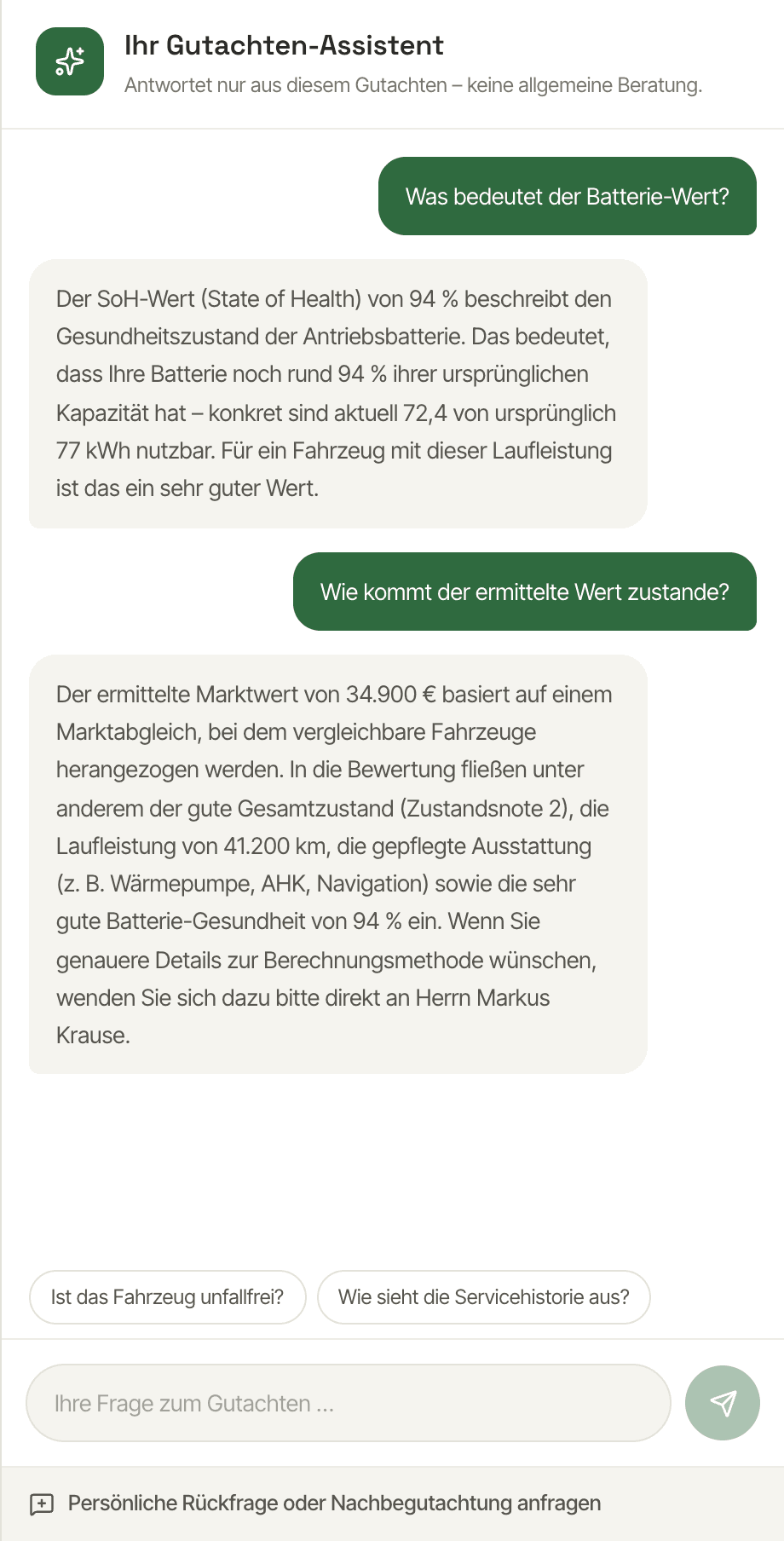
Your client opens the appraisal in a personal portal and can ask questions in the AI chat. The answers draw exclusively on the approved appraisal.

AI appraisal assistant in the client portal: follow-up questions about battery value and condition rating are answered straight from the appraisal
Frequently asked questions about the process

What expert appraisers ask us most often.

If your question is not here, write to us at info@diavag.com. We will reply to you personally.

Do I need experience with software or AI?
No. You type notes or bullet points and enter your measurements into clearly labelled fields, nothing more. The platform is deliberately built to be usable without any digital experience, and we help you personally with the setup.
Can the AI invent values or claim something I did not measure?
No. The draft is created exclusively from your captured data. Every statement is tied to a data field or a note, and you can see the source for each sentence. Fields without an entry stay empty.
Who is responsible for the appraisal?
You, as before. The platform only drafts the wording. The appraisal is not sent until you have reviewed it and approved it with your signature. Review and approval are logged.
Which measuring devices do I need?
The ones you already own. DIAVAG does not sell hardware; the platform takes in the readings from your existing devices, for example a battery tester, OBD2 scanner, coating thickness gauge or tread depth gauge.

Try it
with an order of your own.

Create a free account and walk through the six steps yourself. Or have us show you the process in a personal demo.

You will find all the modules in detail in the product tour.